

Real-Time Document Collaboration Review Editing
Bring people, ideas and decisions together in one workspace — enabling teams to collaborate instantly, move faster and achieve more, without compromising control
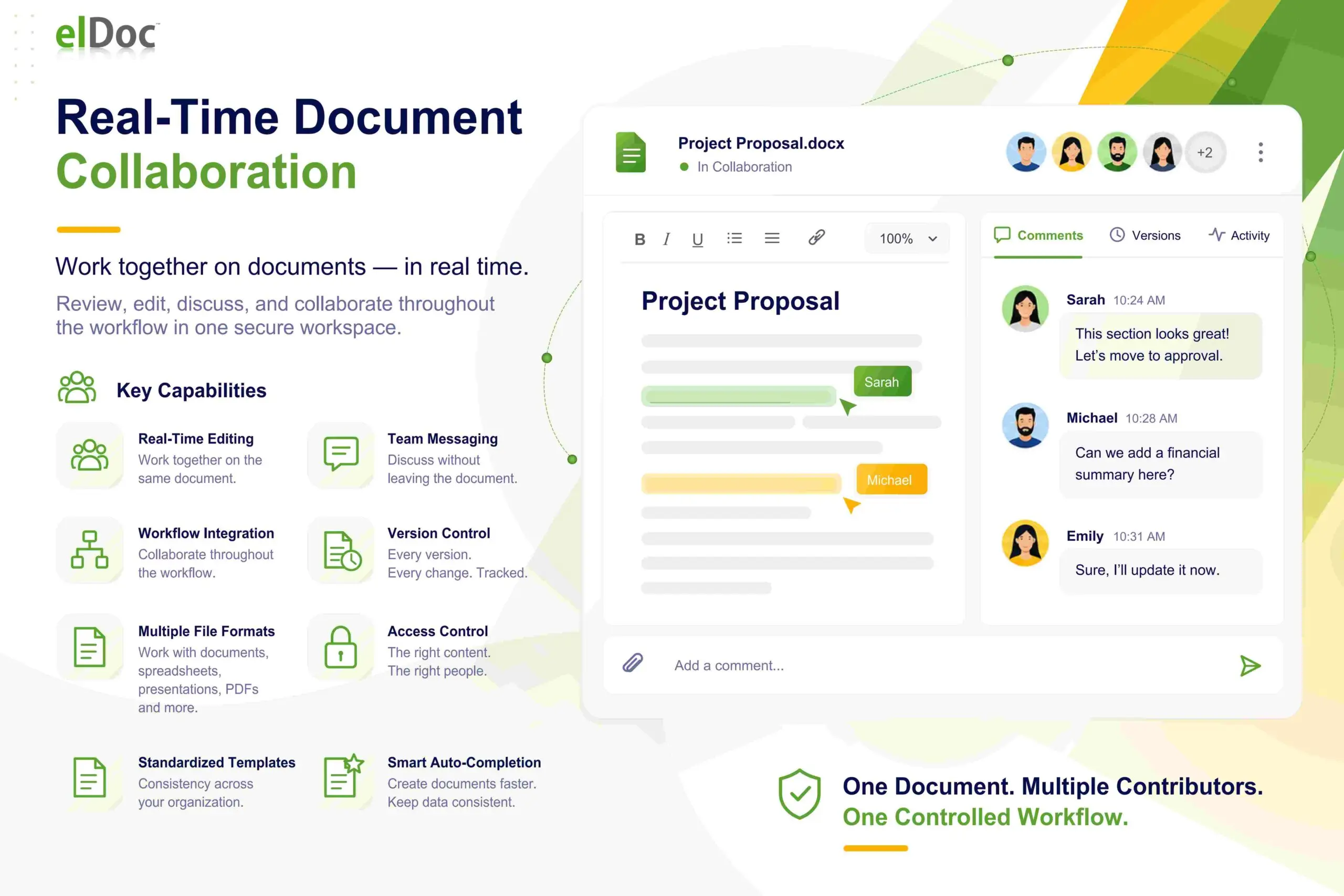
Real-Time Document Collaboration
Bring Teams Together. Collaborate in Real Time. Accelerate Review with AI
Empower teams to create, edit, review and approve documents of any format within one secure, intelligent workspace. Combine real-time collaboration, AI-assisted reviews and complete version control
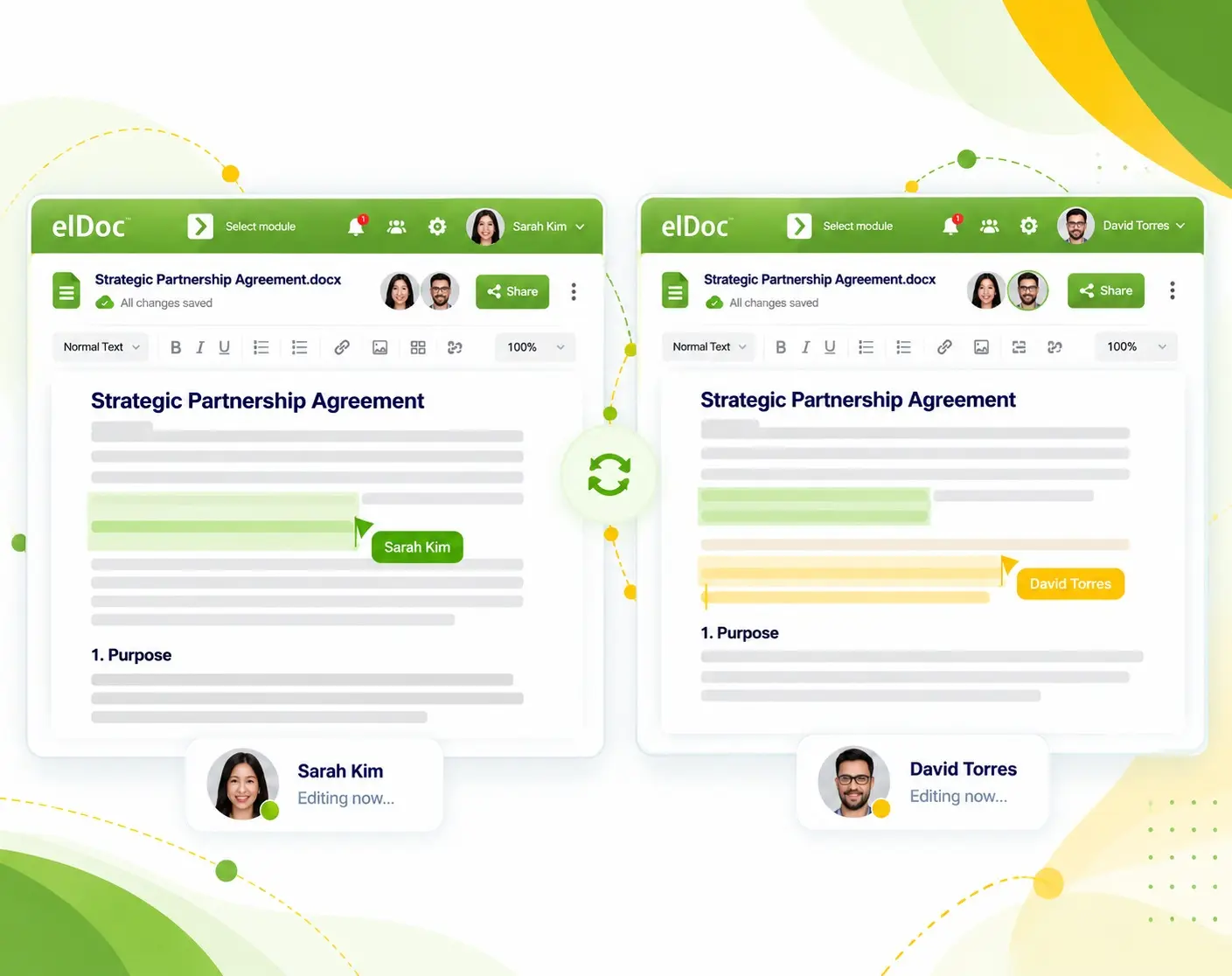
Real-Time Document Co-Editing
One Document. Multiple Editors. Zero Conflicts.
Enable multiple team members to edit the same document simultaneously, with every change synchronized instantly. Work together seamlessly without overwriting edits, creating duplicate files or leaving eIDoc
AI-Assisted Document Review
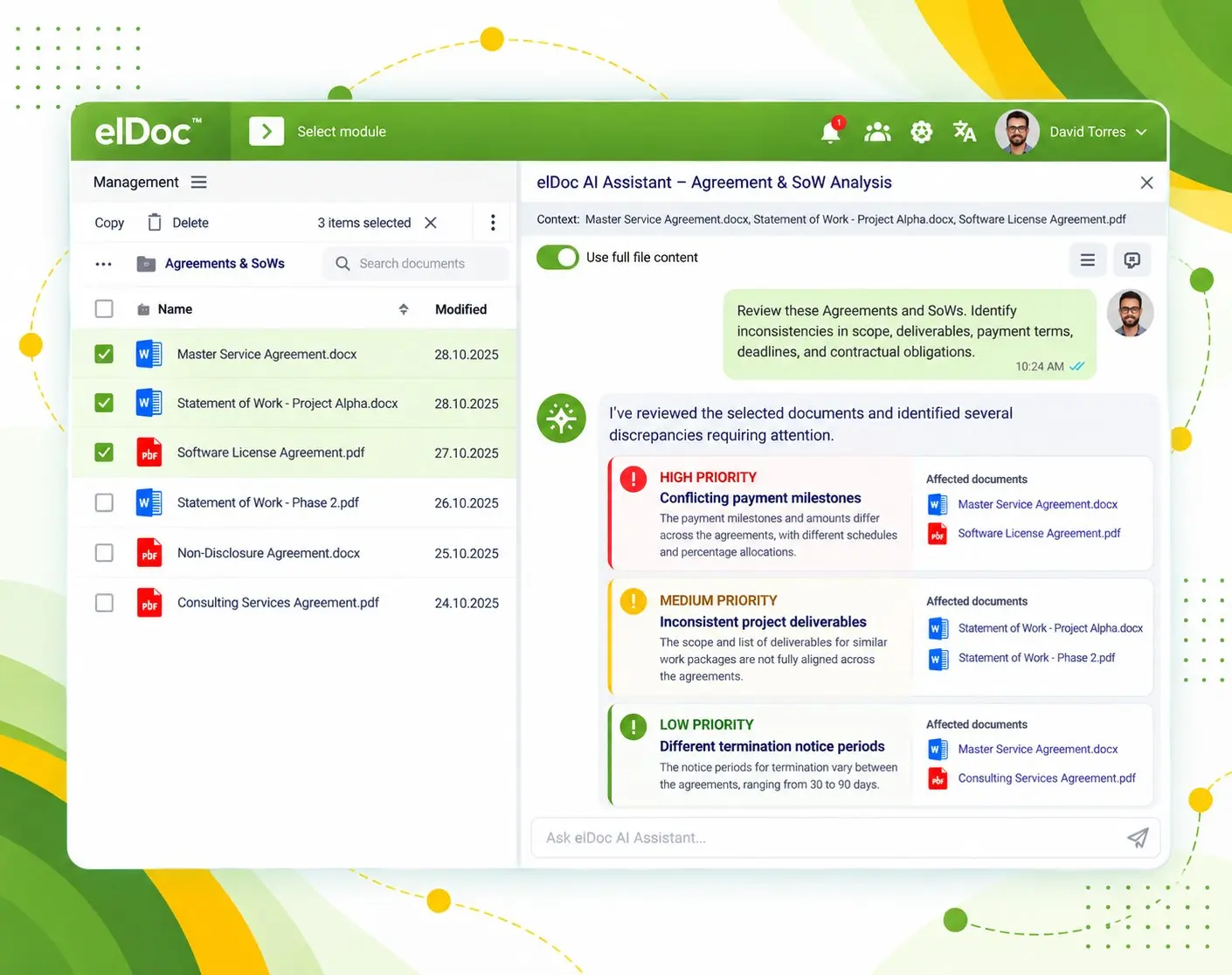
Let AI Review and Analyze Your Documents Before You Do
Accelerate document analysis with AI-assisted reviews that surface critical information, identify potential issues and deliver actionable recommendations — improving efficiency without sacrificing oversigh
Integrated Document Productivity
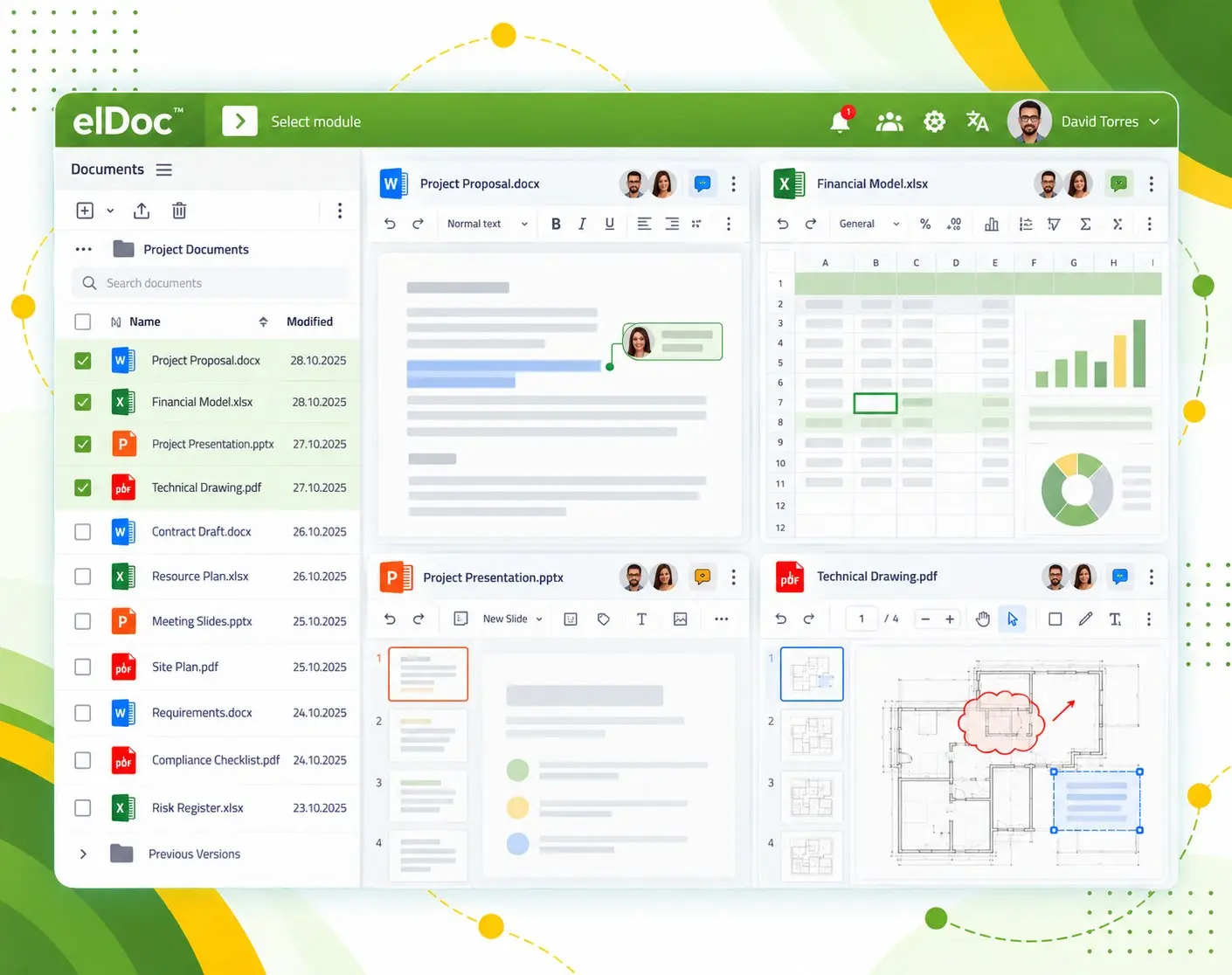
Collaborate Seamlessly Across Office Document Formats
Work seamlessly with text documents, spreadsheets, presentations and drawings — with online editing, preview and version control. Make changes directly in eIDoc or as part of structured workflows, without downloading files or switching applications
FAQ - Team Work Explained
Discover how elDoc enables teams to edit, review and manage documents together — with real-time collaboration, AI assistance, version control and enterprise-grade security
1. Do users need Microsoft Office or other external applications to edit documents?
No. elDoc integrates Collabora Online, enabling users to create, edit and collaborate on text documents, spreadsheets and presentations directly in their browser. This eliminates the need for locally installed office applications, file downloads or switching between systems
2. Can documents be edited and reviewed as part of business workflows?
Yes. elDoc enables teams to create, edit and review documents directly within a shared workspace or as part of structured business workflows. With integrated online editing, collaboration and workflow automation, teams can seamlessly manage document preparation, reviews and approvals — all within one platform
3. How does AI-Assisted Document Collaboration and Review work in elDoc?
elDoc enables teams to use AI to analyze individual documents or entire batches, compare content, identify discrepancies and find relevant information. AI can also review documents against predefined business rules, policies, regulatory requirements or industry standards — highlighting potential risks, inconsistencies and areas requiring attention. This accelerates complex reviews, improves consistency and supports more informed decisions
4. How can users track the latest document version and restore previous versions in elDoc?
elDoc provides built-in version control, allowing users to identify the latest document version, track changes and access version history. Authorized users can review previous versions, compare revisions and restore earlier versions when needed — ensuring complete traceability, accountability and control throughout the document lifecycle
5. How does elDoc manage document access and user permissions?
elDoc provides granular, role-based access control, allowing organizations to define exactly who can access documents and what actions they can perform. Permissions can govern uploading, viewing, editing, reviewing, downloading, sharing, printing, copying and deleting documents — ensuring secure collaboration, controlled information sharing and complete document governance
6. Can users securely share edited documents internally and externally?
Yes. elDoc enables users to securely share edited documents with internal teams and external collaborators through controlled access and granular permissions. Organizations can manage who can view, edit, download or share documents — enabling seamless collaboration while maintaining security, confidentiality and control over sensitive information
7. Can watermarks be added to documents for enhanced security?
Yes. elDoc supports document watermarking to help protect sensitive information and discourage unauthorized distribution. Organizations can apply watermarks to reinforce confidentiality, identify document ownership and strengthen information security across internal and external collaboration
8. Can access to folders, documents and workflows be separated across departments or business entities?
Yes. elDoc enables organizations to segregate access to folders, documents and workflows across departments, business units or legal entities. With granular role-based permissions, each team can operate within its authorized workspace, ensuring information confidentiality, controlled collaboration and centralized governance across the enterprise
The Future of Enterprise Collaboration
Better Collaboration. Faster Decisions. Greater Business Impact.
Discover how real-time editing, AI-assisted reviews and seamless teamwork can transform document collaboration across your enterprise
Let's get in touch
Want a closer look? Message us to arrange your demo
Get your questions answered or schedule a demo to see our solution in action — just drop us a message